

Top 7 Pros and Cons of UX Optimization
Discover the top 7 pros and cons of UX optimization to boost user engagement and retention. Learn how effective UX can increase retention by up to 400%.
Last updated:
December 7, 2025

Discover the top 7 pros and cons of UX optimization to boost user engagement and retention. Learn how effective UX can increase retention by up to 400%.
Last updated:
December 7, 2025
Are you finding it challenging to keep your creative projects organized while maximizing user engagement? This article will explore the top seven pros and cons of UX optimization, helping you navigate its complexities and boost your design process. With studies showing that effective UX can increase user retention by up to 400%, understanding these factors is essential for creative professionals looking to enhance their workflows.
User experience (UX) optimization is crucial for creative professionals, directly influencing engagement and retention. A well-designed user experience can make the difference between a visitor returning or abandoning a site. In fact, 88% of consumers are less likely to return to a website after a poor user experience. This statistic highlights the importance of prioritizing usability in design.
Moreover, the stakes are high for online businesses; 70% fail due to inadequate usability. For creative professionals, ensuring a seamless and engaging UX not only enhances their portfolio but also fosters client satisfaction and loyalty. Focusing on UX can transform a mediocre project into an outstanding one, driving success and creativity forward.
UX optimization offers numerous advantages and challenges that can significantly impact creative workflows.
Navigating these pros and cons effectively can lead to a more streamlined creative process, ultimately enhancing the quality and impact of design work.
User experience (UX) optimization offers critical advantages for creative professionals, enhancing the overall effectiveness of their projects. By focusing on UX, designers can significantly improve engagement, driving users to interact more deeply with their work. A well-designed user interface can increase website conversion rates by up to 200%, while improved UX can boost conversions by up to 400%.
Moreover, companies that prioritize design have outperformed the S&P by 228% over a decade. These statistics underscore the value of UX optimization in fostering both user satisfaction and business success, making it an essential focus for anyone in the creative field.
User engagement and productivity can significantly improve with effective UX optimization. A well-crafted user experience not only raises customer satisfaction by up to twenty percent but also enhances interactions with a brand by forty percent. This is crucial for creative professionals seeking to create lasting impressions and foster deeper connections with their audience.
Reduced bounce rates and improved retention are critical outcomes of effective UX optimization. For instance, a one-second delay in page response can lead to a 7% reduction in conversions, emphasizing the need for swift loading times. Additionally, optimizing design and mobile responsiveness can enhance retention rates by 30-40%, fostering deeper user engagement and loyalty.
Enhanced brand perception and trust stem from effective UX optimization, as users often judge a company’s credibility based on its website design. Approximately seventy-five percent of users admit that a well-designed site boosts their trust in a brand, showcasing the direct link between UX and brand loyalty.
Improving accessibility in UX design is essential for reaching a broader audience and enhancing user satisfaction. With 1.3 billion people worldwide living with disabilities, ensuring that websites are accessible can significantly impact engagement and conversion rates. Accessible design not only benefits users with disabilities but also enhances the experience for all users, leading to higher retention and satisfaction. Implementing features like alt text, keyboard navigation, and screen reader compatibility can create a more inclusive environment, allowing businesses to tap into a market with considerable spending power, estimated at $13 trillion (TestParty).
User experience (UX) optimization can significantly enhance a product's appeal, yet it comes with notable drawbacks that creative professionals should consider. While the goal is to create seamless and engaging designs, the challenges can sometimes outweigh the benefits.
One major issue is the time-intensive nature of research and testing required to achieve effective UX. Many organizations struggle to allocate sufficient time for these processes. In fact, fifty-five percent of companies report a lack of time to establish a user-centric culture in their design practices. This can lead to rushed decisions that compromise the quality of user experience.
Furthermore, the financial implications of implementing UX strategies can be daunting, particularly for smaller teams. The costs associated with comprehensive UX testing and design can strain budgets. As a result, many companies may forgo essential testing altogether; approximately forty-five percent do not conduct any form of UX testing. Balancing these drawbacks with the potential benefits is crucial for achieving optimal user experience.
Research and testing for UX optimization often demand significant time investment, creating a challenge for many organizations. With fifty-five percent of companies citing insufficient time to foster a user-centric design culture, critical insights may be overlooked. This can lead to rushed decisions that compromise user experience quality and effectiveness. Additionally, testing with just five users can reveal up to eighty-five percent of usability issues, emphasizing the need for thorough processes despite time constraints.
High implementation costs for small teams can deter effective UX optimization. With traditional audit and remediation cycles costing between $50,000 and $200,000, smaller teams may struggle to justify these expenses. This financial strain can lead to inadequate testing, making it challenging to establish a user-centric design culture, ultimately impacting the quality of user experience.
Over-optimization and feature bloat can hinder the user experience rather than enhance it. While aiming for a polished interface, adding too many features may complicate navigation, leading to user frustration. In fact, complex or poorly designed navigation can cause 61% of users to leave a site (We Are Tenet). Prioritizing simplicity and clarity is essential to maintain user engagement and satisfaction.
Measuring the ROI of UX improvements presents significant challenges due to the difficulty in isolating UX's impact from other influencing factors. Many organizations find it hard to attribute revenue increases directly to UX investments, complicating the assessment process. This ambiguity can lead to undervaluation of UX efforts, impacting decision-making and resource allocation within teams.
One of the first challenges in calculating UX ROI is the attribution or scope when determining both revenue and investment, as it's hard to isolate the impact of UX from other variables that contribute to increased revenue (Solmesz - September 2024)
Empower Media Agent:
14x ROI and $17 million in sales lift during the first year after launch (UX 4Sight)
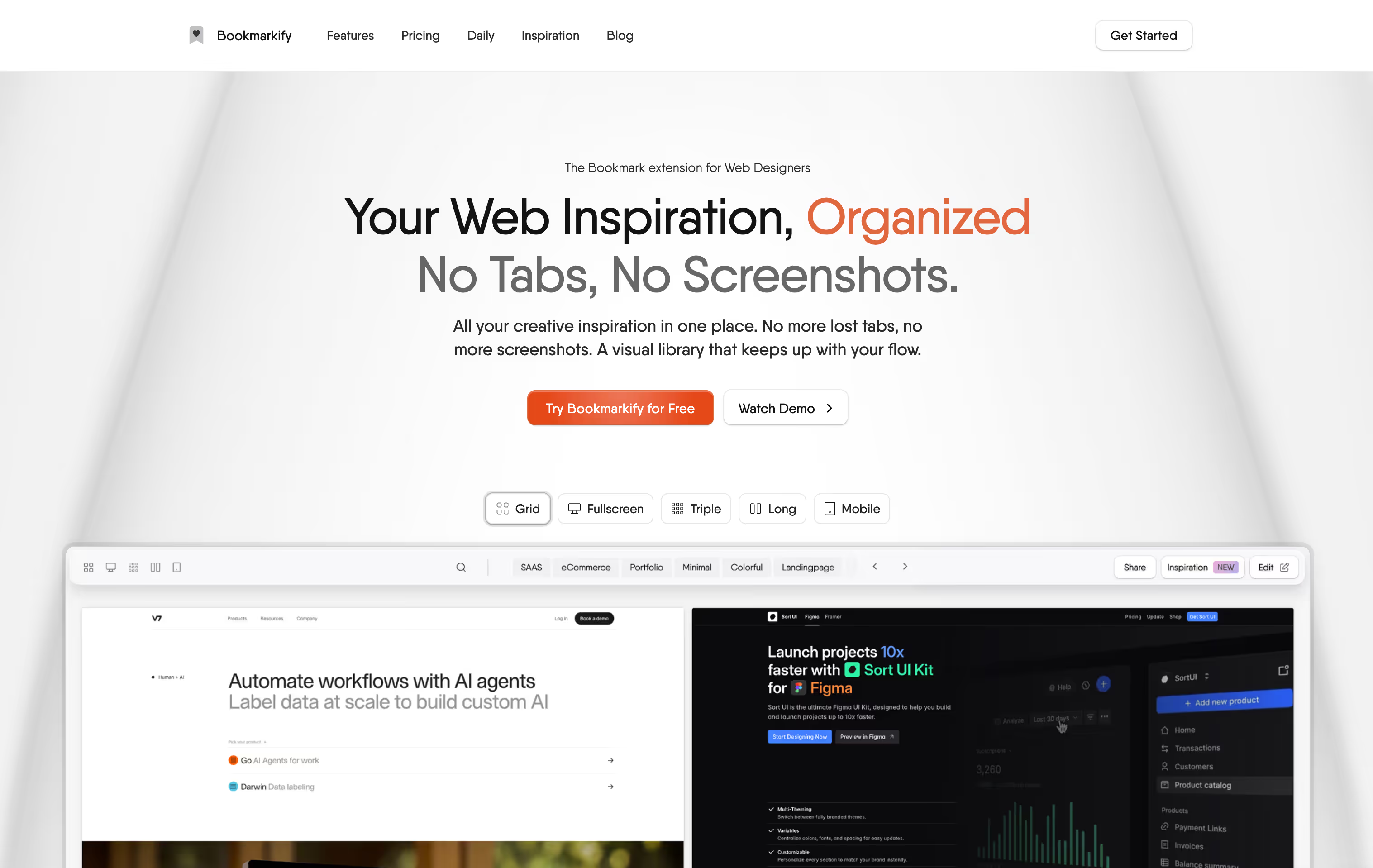
Bookmarkify streamlines visual bookmark management, specifically catering to the needs of designers and creative professionals. Unlike traditional browser bookmarks that can quickly become disorganized, Bookmarkify provides a visual library that allows users to save webpages instantly, transforming chaotic collections into neatly organized, visually engaging formats. This feature enhances creative workflows by making it easier to revisit design inspiration without the clutter typically associated with standard bookmarking systems.
One of the standout advantages of Bookmarkify is its ability to sync saved pages directly to a user’s dashboard, ensuring that inspiration is always accessible. Additionally, the platform prioritizes user privacy and security, managing data through secure systems like Google Sync and Stripe. This reliability is essential for professionals who need to protect their creative assets while accessing them efficiently.
The impact of such a tool is significant; it not only improves organization but also boosts productivity by reducing the time spent searching for inspiration. With over two thousand designers already utilizing this platform, Bookmarkify is proving to be an invaluable asset for those in creative fields looking to optimize their workflow and manage their design resources effectively (Source 1).
Figma enhances collaborative design by integrating built-in UX testing features, allowing teams to iterate quickly and effectively. This platform facilitates real-time feedback, enabling designers to prototype and test ideas seamlessly. The integration with tools like Maze allows teams to launch prototype tests, surveys, or card sorting studies and receive results within hours. This rapid testing cycle can significantly improve design outcomes by ensuring that user feedback is incorporated early in the process.
With these capabilities, Figma not only streamlines workflows but also fosters a culture of collaboration, making it easier for teams to engage in productive discussions around design decisions. This ultimately leads to a more user-centered approach in creative projects.
Hotjar is a powerful tool for behavior analytics, providing valuable insights into user experiences. With features like heatmaps, session recordings, and user feedback tools, it helps creative professionals understand how users interact with their designs. This information is crucial for optimizing user experience (UX), as it allows designers to identify pain points and areas for improvement.
One significant advantage of using Hotjar is its widespread adoption; it supports over 900,000 organizations globally. This extensive user base speaks to its effectiveness in enhancing UX. For instance, Every.org saw a remarkable 29.5% increase in donations after using Hotjar to identify and address issues on their platform. Such success stories underline the importance of leveraging analytics for informed design decisions.
However, while Hotjar offers robust features, it’s essential to consider potential drawbacks, such as privacy concerns and the need for proper interpretation of data. Misunderstanding user behavior can lead to misguided design changes. Therefore, it's crucial to approach the insights provided by Hotjar with a critical eye, ensuring that changes made are based on sound analysis rather than assumptions.
By integrating tools like Hotjar into their workflows, creative professionals can make data-driven decisions that significantly enhance user engagement and satisfaction. This ultimately leads to better design outcomes and more successful projects.
Rapid prototype testing and user feedback are essential components of effective UX optimization. Utilizing tools like Maze enables creative professionals to gather valuable insights quickly. Maze provides usability analytics for reports, featuring prototype testing, card sorting, tree testing, five-second tests, and surveys, with pricing starting at $75 per month. This functionality allows designers to validate ideas before full-scale development, ensuring that user needs are met from the outset.
The process of rapid testing fosters a culture of continuous improvement. By engaging users early and often, professionals can identify pain points and iterate on designs, ultimately creating a more user-friendly experience. Feedback collected during these testing phases can highlight areas for enhancement, leading to more intuitive interfaces and satisfied users. Prioritizing this iterative approach not only streamlines workflows but also reduces the risk of costly redesigns later in the project lifecycle.
UserTesting offers a unique platform for gathering real-time video feedback from global users, which can significantly enhance UX optimization efforts. This tool allows creative professionals to observe users interacting with their designs, providing invaluable insights into user behavior and preferences.
Utilizing UserTesting can streamline the design process by identifying usability issues early. With immediate feedback, teams can make informed adjustments to improve user satisfaction. Additionally, the platform supports diverse user demographics, ensuring that feedback reflects a wide range of perspectives, which is essential for global brands.
However, costs can be a consideration. Users report spending approximately $20,000-$30,000 per year for 2-3 seats, with seat costs ranging from $1,500 to $2,500, plus additional charges for credits at $8-10 each. This investment can be significant, especially for smaller teams or freelancers. Balancing the benefits of real-time feedback with budget constraints is crucial for maximizing the tool's value in the UX optimization process.
Balancing the benefits of UX optimization against its implementation challenges is crucial for creative professionals. On one hand, effective UX optimization can significantly enhance user engagement and satisfaction, leading to increased retention and customer loyalty. Data-driven organizations are 23 times more likely to acquire new customers and 19 times more likely to be profitable, underscoring the value of investing in user experience (Maze).
However, the road to effective UX optimization is fraught with challenges. Implementing changes often requires substantial resources, including time, budget, and skilled personnel. Creative teams may face pushback from stakeholders who prioritize immediate results over long-term gains. Furthermore, integrating user feedback and conducting thorough research can be time-consuming, complicating project timelines.
To navigate these challenges, professionals should adopt a phased approach to UX optimization. By prioritizing key areas for improvement and leveraging user research throughout the design process, teams can create a more user-centric product without overwhelming their resources. This balanced strategy not only maximizes the benefits of UX optimization but also mitigates the risks associated with its implementation, ensuring that creative professionals can deliver exceptional user experiences while maintaining efficiency.
Understanding the pros and cons of UX optimization is essential for creative teams looking to enhance their workflows and project outcomes.
Pros:
Cons:
Balancing these pros and cons is crucial. Companies that prioritize UX can avoid substantial losses; poor user experience costs U.S. companies $1.4 trillion annually in lost business (We Are Tenet). As creative professionals navigate these decisions, they must weigh immediate costs against long-term benefits to ensure a successful outcome.
Key metrics include user engagement rates, conversion rates, bounce rates, and customer satisfaction scores. These indicators help assess the impact of UX changes on user behavior and overall satisfaction.
Small teams can explore affordable or free tools to streamline UX processes, prioritize essential features, and adopt a phased approach to implementation. Many platforms offer scalable pricing or trial periods to manage budget constraints.
Common mistakes include neglecting user research, overloading designs with features, and failing to test with real users. These pitfalls can lead to suboptimal experiences and missed opportunities for improvement.
UX should be tested regularly, ideally at every stage of the design process, and updated based on user feedback and evolving needs. Continuous improvement ensures that the experience remains relevant and effective.
User feedback is critical for identifying pain points, validating design choices, and informing adjustments. Incorporating user insights helps create a more user-centered experience, enhancing overall satisfaction and engagement.

Ivan S
Lead Marketing Designer @Scribe, Founder @bookmarkify

Effortlessly Save time and stay Inspired: Streamline your workflow with Bookmarkify. No more juggling 10 tabs and screenshots.



